Tracking and follow-up
Email link scanners and false PDF opens: how to read the signal
See how security scans, email privacy features and previews affect PDF link metrics and how to check a suspicious open safely.
A link event moments after sending an email may be an automated safety check, not a client opening your PDF. Treat a request to the link as weak evidence. A reported viewer load with meaningful activity is stronger, but only a verified reply or decision confirms what the client did.
Why a link can be accessed before the recipient clicks
Security checks. Microsoft Defender Safe Links describes URL scanning before delivery and additional checks at the time a link is clicked. Whether those checks appear in your dashboard depends on what the scanner requests and what the dashboard counts.
Link previews. An email or messaging service may request a page to produce a title or thumbnail. Mailchimp's bot activity guide includes preview generators and antivirus scans among non-human interactions that can inflate campaign numbers.
Email privacy mechanisms. Apple Mail Privacy Protection can fetch remote email content in the background. That's one reason an email tracking pixel isn't evidence that someone opened the document at the other end of a link. It doesn't mean Apple necessarily followed every downstream PDF link.
How to check a suspicious event
Suppose a sales rep sends three unrelated customer links at 14:00. At 14:00:01, all three show activity but no meaningful viewer behavior. At 15:17, one link shows a viewer session and movement from page one to the fee table. Flag the first cluster as possible automation, and treat the later session as stronger evidence, not conclusive attribution. Uniform timing is a clue, not a rule.
For a controlled check, send a disposable document link to a mailbox you own. Note the time, leave the message untouched for a few minutes, and record any initial activity. Then open the document as a recipient and compare what got counted. Try the same test on another permitted mailbox or device. Do not change a customer's security settings or try to evade a scanner for a cleaner report.
Prefer definitions over “bot-free” promises
Give every item a clear label: link request, viewer open, identified visitor, or confirmed decision. A filter for common automated traffic helps reduce noise, but it cannot guarantee that every event is human. Conversely, a brief visit should not automatically be ignored: the document could be one page long or the person might be checking the title before reviewing later.
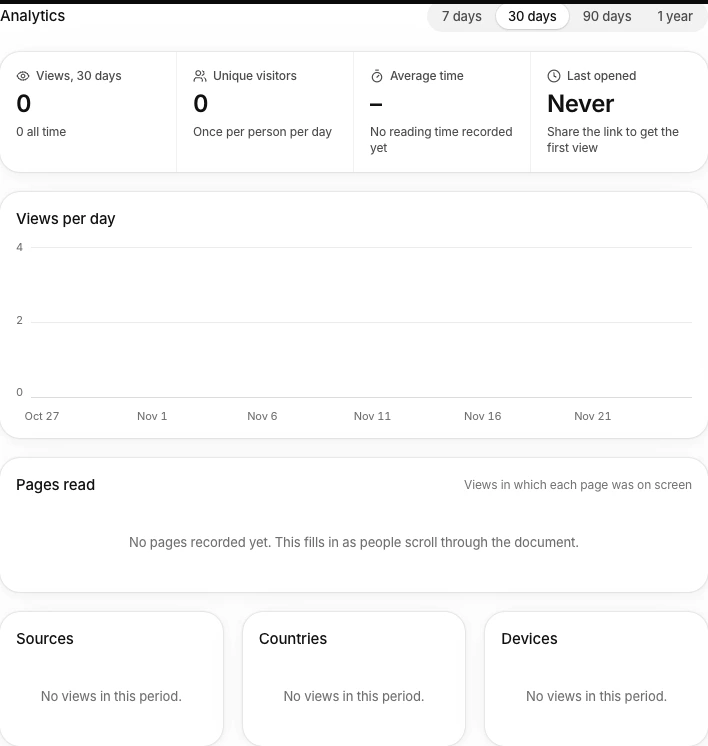
PDFtoLinkConverter logs a view after its viewer is ready and skips recognized owner traffic and common automated browser identifiers. That can avoid counting some simple previews. It is not a guarantee that every remaining event represents a human or that a missing event means nobody opened the document.
Questions and answers
Why was the PDF link opened immediately after I sent it?
Possible explanations include a link scanner, a preview service, or a quick recipient response. Compare timestamps and viewer activity before drawing a conclusion.
Does a password eliminate false opens?
No. It can prevent unverified access to a protected viewer, but requests to the link or password screen can still happen. A dashboard should separate those from successful viewer activity.
Can a scanner consume a one-click invitation?
It depends on the service and whether requesting the link itself consumes it. Test with a disposable invitation under your own control before trusting a one-time workflow.
Should I disable Safe Links to improve my tracking?
No. It is an organizational safety control. Interpret the signals conservatively and use a direct reply when certainty matters.
What's a safe follow-up if the only signal looks automated?
Follow the ordinary timeline you agreed with the customer. Ask whether they received the document; do not claim you know they read it.