Versioning and workflows
PDF Link Not Opening? Diagnose Access, Expiry and Viewer Problems
Find out whether a broken PDF link is incomplete, restricted, expired, or blocked in a browser, without making the document accidentally public.
When a PDF link will not open, test the exact URL in a private tab before changing sharing settings. If the private tab works, the problem may be the recipient’s browser, network, or app preview. If the private tab fails too, check the document’s link status and access settings in the dashboard.
Diagnose by what the recipient sees
- Not found: recopy the full link from the dashboard. Messaging apps can wrap text or include trailing punctuation when a link is copied by hand. Confirm the PDF still exists and the address has not changed.
- Expired or disabled: check the status as the sender. Re-enable or extend only if that is appropriate for the file and plan. Otherwise create a fresh, appropriately restricted link.
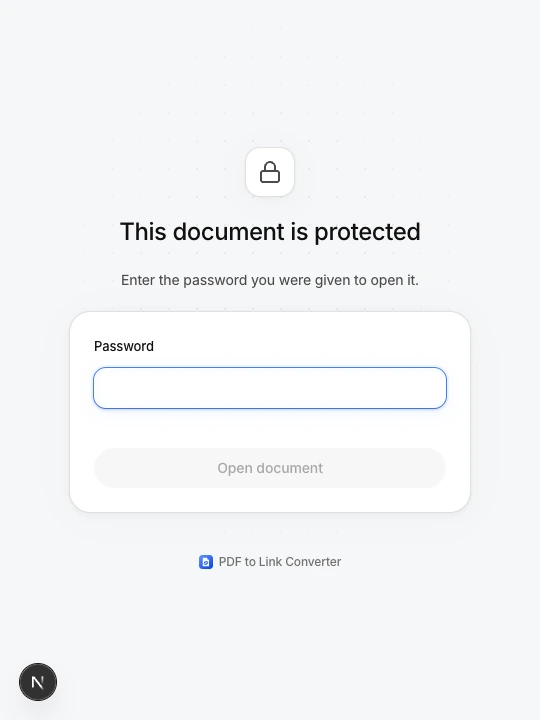
- Password requested: this is expected for a protected viewer link. Resend or rotate the link password through the appropriate channel. A link password does not necessarily unlock a PDF file that is itself encrypted.
- Sign-in required: establish whether this is the recipient’s account gate or the sender’s dashboard address. In Drive, access may be limited to specific people or a workspace. Do not change it to broad access just to bypass a permissions warning. Google Drive sharing help.
- Blank viewer: ask the recipient to open the same link in a regular browser rather than an in-app preview. If the file is allowed to download, try a file download; if it still fails, re-export a harmless test PDF and use it to isolate the problem.
Prevent the repeat
Send the viewer URL, not the dashboard URL or an upload confirmation address. Use a private tab to confirm the link’s intended restrictions. Open it on a phone and check both the first and last pages. Verify a shared QR points to the same link you just tested. If a deadline is close, send a short message with the correct link, file revision and another approved way to get the PDF if needed.
Questions and answers
Why does it work for the sender but not the client?
Your signed-in dashboard may be allowed to show material nobody else can access. Test the copied recipient link with your own session absent to see what the client sees.
Can a downloaded PDF stop opening when the link expires?
Not normally. The web link and a copy already saved to a device are different things. Expiry closes future access through the link.
What if a phone opens a download instead of an inline viewer?
Check whether you sent a raw PDF URL rather than the share page. A raw file URL can open differently depending on browser and network settings.
Should I send a new link every time I troubleshoot?
Only if you can’t restore the intended old link safely. First check the right URL, permissions and expiry. If you do replace it, tell the recipient which link and revision to use.