Versioning and workflows
Replace a PDF Without Changing the Link
Keep the same PDF viewer link and QR code, check a revised file in a fresh tab, and avoid mixing old reviews with the new document.
To replace a PDF without changing the link, keep the same share record and upload the new PDF through its Replace PDF control. Do not delete the share record or publish the new file as a separate link. A QR code that points to that share record still points to the same URL.
What actually stays the same
A viewer link identifies the share record, not the file bytes. If the service swaps the file behind that record, the public link and any QR code containing it do not need to change. A direct URL for a specific stored file is different: whether that URL survives depends on the host, its caching, and how it handles replacements. Use the viewer link when future edits are likely.
The current PDF to Link paid plans support same-link replacement. Do not use it as a version archive: keep the previous PDF separately if you need to restore it. Your link’s historical aggregate views can include opens from before the replacement. They are not evidence that somebody saw the latest PDF.
If the PDF is already shared from Google Drive, Drive’s Manage versions workflow supports uploading a new version to the existing file and keeping earlier copies. That is a different job from getting a lightweight PDF viewer and aggregate opens. Choose the storage system you already use if keeping past versions matters more than how the recipient opens the link.
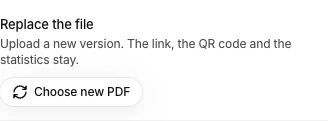
Replace a real file in five checks
- Copy the existing viewer URL and save the previous PDF in your project folder.
- Open the document in your dashboard, choose Replace PDF, and select the new file. Include a visible revision or date in the PDF itself.
- Wait for the upload to finish. Open the original URL in a new private tab and check the revision and page count. If the view is password-protected, test the same password there.
- Reload a tab that was already open. A browser can keep a previously loaded document visible until a fresh open or reload. Do not assume the switch updates every screen already displaying the PDF.
- Scan any printed QR from a phone before announcing the update. Verify the number on the page, not just the URL in the browser bar.
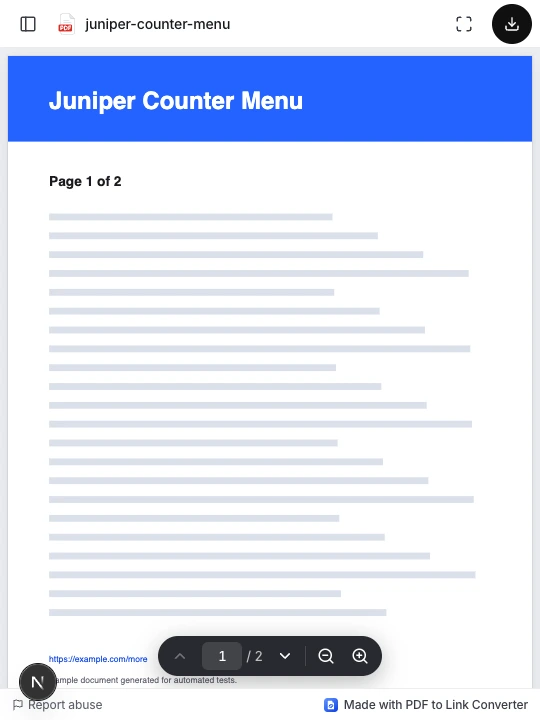
Example: update a price sheet, not your flyers
A shop has printed a QR code for a two-page menu. Keep the public address and replace the PDF with a copy labeled “Winter menu, revision 2.” Check an item that changed price against the current file. If this is instead a proof awaiting sign-off, preserve the file approved under revision 1 and separately ask for a decision on revision 2. Being able to reuse a link is not the same as carrying an approval forward.
What the local test established
In a November 25, 2026 local test with sample PDFs, we replaced a two-page file with a three-page file. We requested the same viewer URL before and after the swap, then checked the served PDF's visible title and page count. The address and existing aggregate view count stayed the same; the file changed to the revised three-page copy. This checks a fresh request. We did not verify how an already-open browser tab updates or test a production deployment.
Questions and answers
Can I change the PDF behind an existing QR code?
Yes, if the QR code contains the stable share URL and your host lets you replace the file behind it. You cannot rewrite a printed code that points to an old file URL.
Can I do this in Google Drive?
Google documents an Upload new version option under Manage versions for uploaded files. Test your existing share link with a recipient account or private tab after the change. Google Drive’s version instructions.
Does the viewer see the new file immediately?
Check the original URL in a fresh tab. A previously loaded tab, an offline copy, or a download may still show the old file.
Can I restore the previous PDF?
Not automatically in the current PDF to Link replacement flow. Keep the original and replace the current file again if you want to roll back. Some other services document retained history, for example Link in Seconds.