Sharing
How to send a PDF without an attachment or Google Drive
Use a single PDF viewer link instead of attaching the file. Pick the right access, test as a recipient, and use an email template that makes the next step clear.
To send a PDF without attaching it, host the final document and paste the viewer link into your email or message. Google Drive is one option, not a requirement. A dedicated PDF viewer can keep the conversation light and give the recipient a clear next step. Use an access-controlled service if your organisation requires it for customer documents.
Decide whether to send a copy or a link
Send a copy when the recipient must archive the exact file, deliver a record to a filing system, or use it offline. Send a viewer link when you expect recipients to read the document on a phone, want to avoid repeated attachments, or expect the current version to change. A link is only useful while the host remains available and the permissions still allow access; for permanent records, agree how both sides retain a copy.
Gmail's Workspace help describes its attachment limit and Drive workaround. Sending a link from another trusted host avoids that particular workflow, but your host still has its own file-size and lifetime limits. Don't imply a browser link has no size limits.
Send a quote without an attachment
- Export and review the exact file you mean to share, including the version date. Remove internal notes before export.
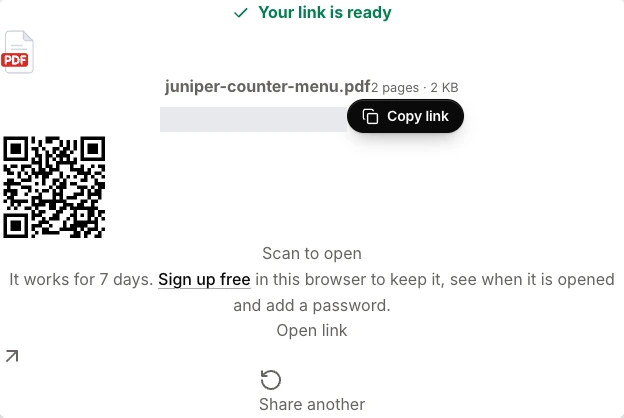
- Open the share PDF as a link tool, upload the PDF and wait for a returned URL. If the client could take more than a week to reply, do not use a temporary guest link as the final delivery.
- Set the appropriate access and test in a non-owner browser. For a confidential quote or financial record, use an approved host and avoid unconstrained forwarding. Send any access password separately from the link.
- Paste the viewer link into the message. Label it with the file and revision instead of using “click here.” Ask for one decision and state the time zone if the deadline matters.
- Keep a copy of the sent revision. If you replace the file at the same URL, tell the recipient you updated it and do not equate their earlier open or approval with this revision.
Copyable message for a fictional customer
Subject: Orchard Studio brochure quote, v2
Hi Sam,
Here is the v2 brochure quote: https://example.com/brochure-quote-v2 (example address). Page 2 shows the revised delivery option. Can you reply by Thursday at 3 pm Eastern with standard or rush?
The link is for viewing. If your team needs an archived PDF, let me know.
Thanks, Alex
Replace the example address with your own viewer link. If you use a deadline on the link, communicate that in the message so it does not surprise the reader.
Questions and answers
Can I email a PDF without Google Drive?
Yes. Create a shareable URL with an approved PDF host or your own authorised hosting, then paste that URL into the message. Google Drive is not needed for this approach.
Does a link always prevent email delivery problems?
No. Filtering, recipient policy and access settings still apply. Use a short, descriptive message and a URL on a recognisable domain; avoid adding misleading download prompts.
Can I see who clicked or opened it?
A viewer can record activity on the link. That does not necessarily identify a person; forwarding and automated link checks can make a count misleading. Ask for a reply or require separate verification if confirmation matters.
Will old links always work after I upload a revision?
Only if your service replaces the file at the same address and the link stays active. PDFtoLinkConverter's current paid plans include file replacement. Already downloaded copies will not update.
What if the recipient says “I need access”?
Test the link while signed out, check expiry and confirm whether a password or account is required. Do not loosen access on a sensitive file just to avoid a login; use a recipient access method approved for the document instead.