Sharing
How to share a PDF without signing up
Create a temporary PDF link without a sender account, or choose a sign-in-free viewing link that you can manage later.
No signup can mean two different things. The sender may want to upload without making an account. The reader may want to open a PDF without signing in. A service can support either or both. Decide which you need before you upload.
The short-term guest workflow
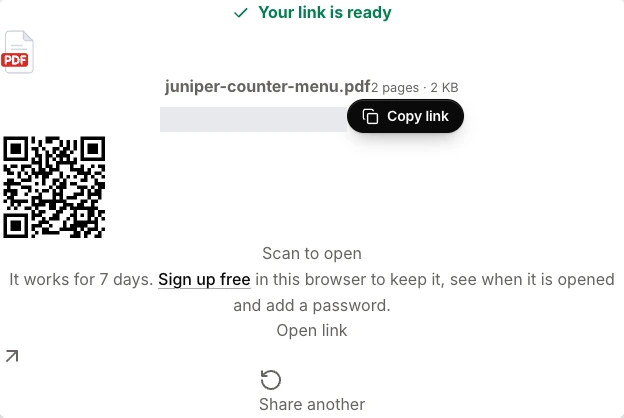
If the PDF is not confidential and the recipient only needs it briefly, choose a guest uploader. On PDFtoLinkConverter, the current guest limits are 10 MB per PDF, 500 pages and seven days. Pick the PDF, copy the returned viewer link, and test it in a private tab. Put the expiry in the message if there is any chance the recipient waits.
For example: “Here is the map for Saturday's volunteer walk. This link is available for seven days; save your own copy if you'll need it after that.” A low-risk handout with a fixed event date is a better guest share than the permanent instructions printed on a product box.
When a sender account is the better choice
If your link will appear in a website, a printed QR code, a job application, an evergreen resource or a proposal still under review, don't assume that a guest link will outlast the job. Create the share while signed in, or claim the guest upload from the browser that made it. Signing in as sender lets you manage files and view counts; it need not add a reader login.
By contrast, turning on a password changes what the reader must do. PDFtoLinkConverter includes link passwords, expiry dates and view limits on every plan, Free included, once you sign in. If content is confidential, set a password or use an approved access-controlled workflow rather than putting an unlisted link into a group chat.
Read the wording before choosing a tool
SharePDF describes no sign-up for readers, while its published upload steps require the sender to create a free account. TrackPDF describes guest sharing with a three-day free retention window. Google Drive can provide an anyone-with-link view for files already in Drive if your organisation permits it, but the file still has an owner. These public descriptions are not hands-on tests, and conditions can change.
Look for four details: free file size, link lifetime, who can remove it, and whether analytics require an account. A “no credit card” label does not answer any of those questions by itself.
Questions and answers
Do recipients have to create an account?
Not for a standard PDFtoLinkConverter viewer link. Access can still fail if the link expires, it is disabled, or a password is required. Try it in a browser where you are not the owner.
Is an unlisted link private?
Not in the sense of verifying recipients. Think of it as “anyone who gets this address can open it.” Unlisted does not make forwarding harmless.
Can I claim a guest link from a different phone?
Start in the browser that created it. The product's claim flow depends on that original browser context; another phone or a cleaned-up browser may not carry it. Sign in first if the link matters.
Can I use it for a resume or printed QR?
Use an owned, tested link rather than a short-term guest upload. A resume may sit unread for several weeks, and a QR code on paper remains printed after its destination disappears.
Can I see whether the document was read without signing in?
Opening a link and retaining analytics are separate features. If you need a manageable record, use a sender account and open your dashboard; never treat an anonymous open as proof of a named reader. For a one-off send where receipt matters, ask the recipient to acknowledge it.