Sharing
How to make a shareable link to a PDF
Upload, copy and test a shareable PDF link. Learn when to use a browser viewer, how to avoid access requests, and what to check before hitting Send.
A PDF turns into a shareable link when it is hosted somewhere your reader can reach. Upload the file to a trusted service, choose who can open it, and copy the service's HTTPS link. Your original is still a PDF. The link is just another way to deliver it.
Make the link in four steps
- Pick the finished PDF. Open it first. Verify the title, first and last page, and anything that should not be visible. For a two-page service quote, make sure the second page isn't an internal cost sheet.
- Choose a place to host it. Start with the PDF to Link tool if you have a file on your device and want a browser viewer. If a file already lives in Drive and you just need to share it, Google's sharing controls are a reasonable choice.
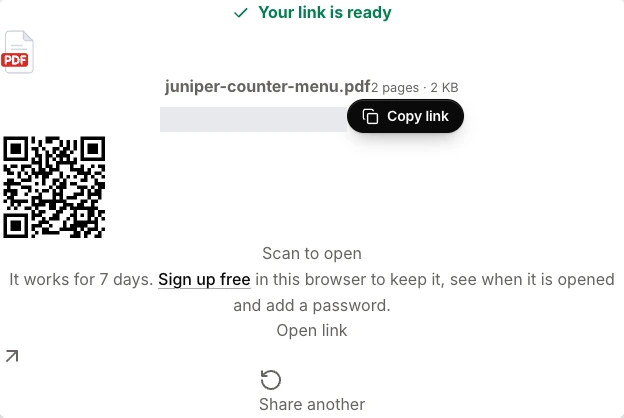
- Copy the viewer link. Wait for the upload to finish rather than copying the address bar while a file is open on your device. Note any expiration date, especially if you uploaded without signing in.
- Open it as a reader before sending. Paste the link into a private window or open it on a second device where you are not signed in. Confirm that the right file opens, that expected access restrictions appear, and that a recipient can read the PDF at a normal phone width. Then send it with the title and the requested action.
A private-window test checks the reader's permissions, not confidentiality. An unlisted link can still be forwarded. If an outside person must not see a document, use a named-recipient workflow approved by your organisation instead of assuming a long or unlisted URL is enough.
A worked example: a two-page quote
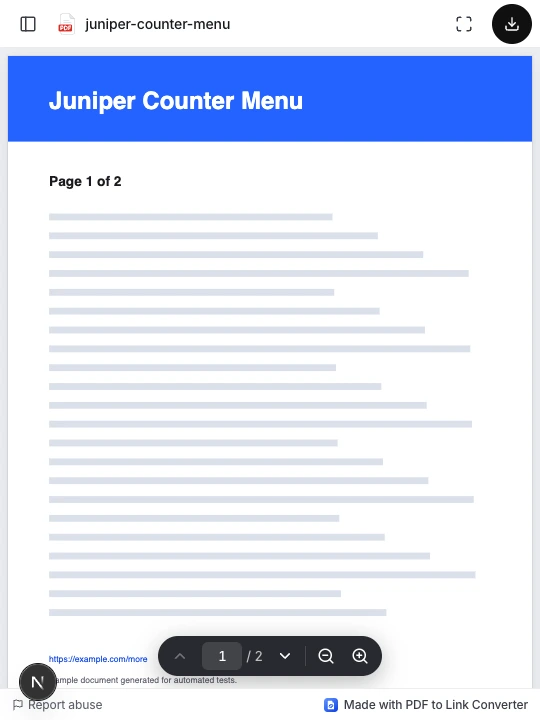
Imagine Cedar Print quotes 250 leaflets for a café. Name the file Cedar Print - Elm Cafe Quote - 2026-11-25.pdf. Send the viewer link with “Price and delivery are on page 2. Please reply by Thursday at 3 pm.” Use a sender account if you need a dashboard record and your recipient may wait longer than a guest link lasts. If the quote is revised, do not ask a client to approve a price you haven't identified: put a visible version and date on both pages.
Choose the right kind of link
For reading a proposal or brochure, use a viewer link. If a CMS needs an actual PDF file endpoint, use hosting you control or verify that your provider explicitly offers a stable direct-file URL. For confidential work, check whether the host supports named recipients and access removal. A password is a shared secret, not a way to establish who opened a file.
Adobe's Acrobat sharing guide covers a different path: sharing a PDF you are already managing in Acrobat. Choose the tool based on where the file lives and what your recipient needs to do.
Will a file-to-link converter work with other formats?
The tool shown here accepts PDFs, not Word documents, ZIPs, images or videos. If you want a document's pages to read consistently, export it as a PDF in the original app, confirm that text is selectable and that the pages fit, then make the PDF link. If the recipient needs the editable original or a large mixed set of files, share those files from a service that supports their types instead. A PDF viewer link is not a general file-transfer service.
A PDF link generator normally creates a hosted viewer address. It does not transform your existing file into a website, or let other people access a PDF that stays only on your computer.
Questions and answers
Can I make a link without signing up?
Yes, for a small temporary share. The current uploader accepts a guest PDF up to 10 MB and 500 pages; the guest link lasts seven days. For links you need to manage over time, sign in before sharing or claim the link from the browser that made it.
Will the reader need to install a PDF app?
A normal browser is enough for a working browser-viewer link. If you add password protection, the reader needs the password rather than a PDFtoLinkConverter account. Test any unusual fonts, annotations or interactive forms before relying on them.
Why doesn't the link from my address bar work for someone else?
An address beginning with file:, blob:, or localhost is not your recipient's share URL. Use the HTTPS link returned by the hosting service and test it away from your owner session.
How do I change the PDF later?
An attachment cannot be updated in someone's inbox. A hosted URL only remains stable after replacement if your service supports updating the file behind the same link. PDFtoLinkConverter's current paid plans include replacement; confirm that you are editing the existing link rather than creating a new one.
Does an open mean the recipient agreed to the document?
No. A viewer event does not prove who read the document, understood it, or approved it. For approval or signatures, request a distinct action tied to a specific revision.