Sharing
How to link to a PDF in WordPress
Add a WordPress File block for a download, or link a paragraph or button to a hosted PDF viewer. Test what a signed-out reader gets.
To link to a PDF in WordPress, add a File block if you want to upload a downloadable copy. If the PDF is already hosted in a browser viewer, put its share URL on a normal text link or button. The choice affects what visitors see and what happens when the file changes.
Option 1: Add a downloadable file
- Open the WordPress post or page in the block editor. Add a File block by searching the inserter for File.
- Upload the PDF or pick it from the Media Library. The official WordPress File block guide shows both options and explains the display settings.
- Write link text that says what is inside, such as “Download the November price list (PDF).” Add the size only if you know it.
- Use the optional inline display only if it improves this page. Keep a clear link to the file so readers are not stuck if a browser does not display it inline.
- Preview and open the intended public page again when signed out. Compare the visible title, date and page count to the source.
Option 2: Link to a hosted PDF viewer
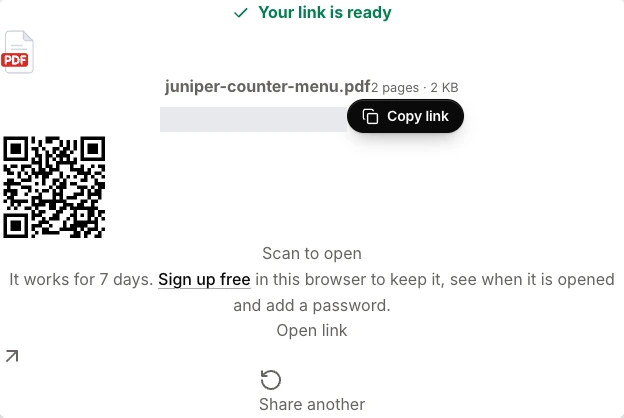
Upload the PDF to the PDF-to-link tool, copy the resulting viewer URL, and paste it onto a paragraph link or button in WordPress. Use an action such as “Open the product brochure” instead of “Click here.” A hosted viewer link is not the file URL expected by a direct-file embed.
Use an account-managed address for a permanent WordPress page. A guest PDFtoLinkConverter link expires after seven days. If you later replace the file behind a supported viewer link, inspect the public page in a fresh browser and open the link there to check the revision. Do not assume the old URL will survive a WordPress Media Library re-upload.
Questions and answers
How do I add a PDF link without showing an inline viewer?
Use a text link or button. If you use the File block for a document stored in WordPress, check its settings and turn off the inline display if present.
Does setting my post to private make the file private?
Don't assume it does. Media URLs may be served independently of a post. If the PDF must be restricted, test the actual PDF URL signed out and use access controls appropriate to the job.
Can I track opens from the WordPress page?
A page analytics click and a hosted PDF viewer open measure different things. A click is the person leaving the WordPress page; a viewer event is the destination recording an open under its own definition.