Access and controls
Why Did My PDF Link Expire? How to Restore Access or Resend It
Find out whether a PDF link expired, was turned off, or points to the wrong place, and give the recipient a reliable replacement.
If a PDF link says it has expired, check the link in the sender dashboard before re-uploading the file. If the document still exists and you own it, you may be able to change the deadline. If the document is gone or the URL was temporary, use the original PDF to create a fresh link.
Diagnose the URL before replacing it
Ask the recipient for the exact link and what the page says. Compare it with the link shown in your dashboard; a copied address might be incomplete, or a QR code might point at an old link. Test the plain share URL in a signed-out browser before deciding the file itself is gone.
- The page asks for a password: The link is still reachable. Send the correct password separately, or ask the owner to confirm which link is protected.
- The page says expired: Check the configured date and time. On a paid tier with expiry controls, edit or remove the deadline if appropriate, then retest.
- The link was switched off: Stop and ask whether it was intentional. If not, an owner can turn an existing link back on when plan limits allow.
- The file was deleted, or a temporary link no longer has a recoverable record: Use your saved PDF and make a new link. Replace the old URL wherever it is used.
A file URL copied from some storage providers can expire independently from the share page. Cloudflare's documentation, for example, describes signed URLs that authorize an operation only until a fixed deadline. For client messages and printed QR codes, use the viewer's share URL rather than a backend file address. Cloudflare signed URL documentation
Example: a Monday review moved to Wednesday
A draft sign proof stops opening Monday evening. Extend the deadline to Wednesday at the agreed local time if the document is still available and the recipients are unchanged. If the proof has also changed, tell the reviewers which revision they should open. Verify the link from a fresh browser rather than assuming an old open tab shows the current file.
Questions and answers
How long do PDFtoLinkConverter links made without an account work?
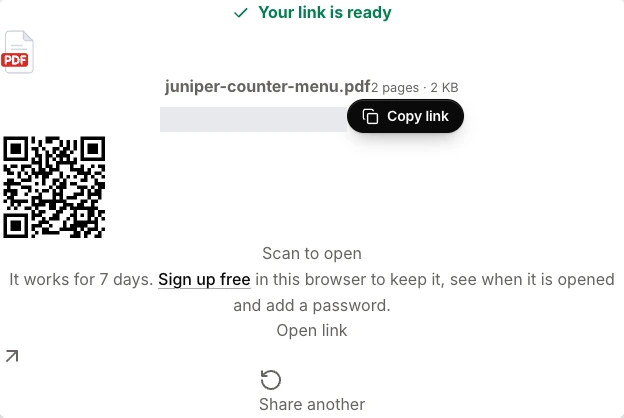
The anonymous upload window is seven days. If you need a longer-lived workflow, check the account and plan details before sending. See pricing
If I sign in, can I recover a guest link that has already expired?
Do not depend on it. Existing guest links are claimed from the same browser while they are still eligible and there is room in your plan. Keep the original PDF.
Can I keep the same QR code?
Only if it still points to the same working URL. Test the physical code after fixing the link. If you issued a different URL, regenerate or replace the code.
What if the file is still visible in my old tab?
An older tab can have content already loaded. Open a fresh signed-out tab and compare what a recipient actually sees.
What if I am not the sender?
Ask the person who sent the link to extend it or resend it. Do not ask them to remove a required password merely to troubleshoot the deadline.