Versioning and workflows
Free vs Paid PDF Sharing: When an Upgrade Makes Sense
Choose a PDF sharing plan by file size, link life, access controls and the decisions you need to make after sending.
A free PDF link is enough when you need one readable file for a short time and do not need confidential access controls. Pay when the recipient must be able to open it later, the file exceeds the free limit, or you need day-to-day control over access and follow-up. Do not pay simply because a pricing page offers a long feature list.
Three checks before you choose
- Link life: Write down when the last recipient may need it. A short link life is fine for a quick review, but a menu, résumé or QR code on printed material may need months.
- Access level: Ask whether a forwarded link can safely reach whoever gets it. If not, choose a plan and sharing mode that provides the right access limits. Hiding downloads is a convenience setting, not a guarantee against screenshots.
- What you need to know: A basic view count can tell you that a link had activity. If your actual question is “did this client approve the updated file?”, buy or build a workflow that records the response for that exact revision.
Read billing and file retention together
Compare the monthly fee against how often you send. A service with a one-time retention extension can make sense for a single long-running PDF; a subscription can cost less per link when you send repeatedly. TrackPDF’s pricing is an example of a pay-per-file retention model. Ask what happens to published URLs, account data, passwords and exports if the subscription ends. Don’t infer it from the word “unlimited.”
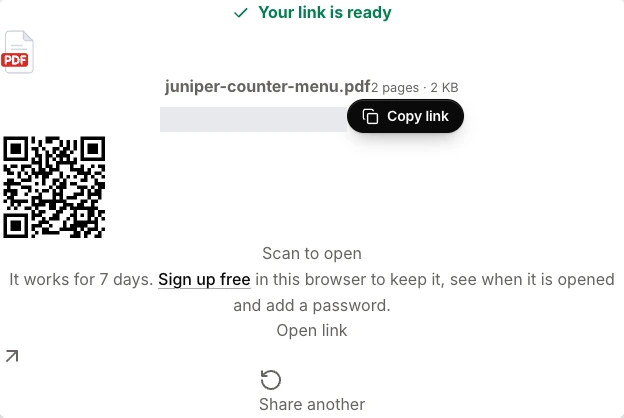
At PDF to Link, guest links are temporary. A free account can manage a limited number of links and see view counts; paid plans add replacement and other link controls. Consult current pricing before committing a file that must stay live. If a link is printed on packaging or a menu, keep a tested fallback and a record of who owns the URL.
Questions and answers
Does a free link expire?
It depends on the product and whether you share as a guest or from a signed-in account. Check the displayed expiry and test a copy of the link as a recipient.
Is password protection always paid?
No. Vendors package it differently. Choose by the security you need, and check the current plan instead of assuming privacy controls are in every free tier.
When is a subscription worth it?
When you repeatedly share files, need stronger access controls, need to replace the PDF behind printed or widely shared links, or have enough ongoing follow-up work to justify the cost.
Can I keep a link alive forever for a one-time payment?
Only within the provider’s stated terms and while the service continues operating. For a business-critical printed QR, plan how you would redirect or replace the address if the service changes.