Access and controls
How to Share a PDF Link With a Password and Expiry Date
Protect the viewer link, set a clear review deadline, and check what recipients can access before you send the PDF.
A password on a PDF link protects the hosted viewer. An expiry date decides when that link stops opening. Use both for a time-limited client review, but assume that any copy someone saved while access was open can still be used.
Choose the right kind of password
A link password and a PDF file password protect different things. The first sits in front of the website. The second travels with the PDF file and is checked by a compatible PDF reader. Adobe documents a separate permissions password for restricting supported actions, so check that you are setting a document-open password if opening the downloaded file itself should require one. Adobe Acrobat password options
For example, a boutique printer wants a client to review a new label design by Friday. A protected link with a Friday deadline works if the file stays in the viewer. If the job contains documents your company only permits on a named-account portal, follow that policy instead of relying on a shared secret.
Set up and test the link
- Upload a copy containing only what the recipient needs. Remove internal notes or unrelated forms in your PDF editor before sharing.
- In your link settings, set a password unique to this handoff. PDFtoLinkConverter includes link passwords and custom expiry on every plan, including Free; check pricing for current storage limits.
- Choose a date and time with a buffer. Write the time zone in your message, such as Friday at 5 p.m. Eastern.
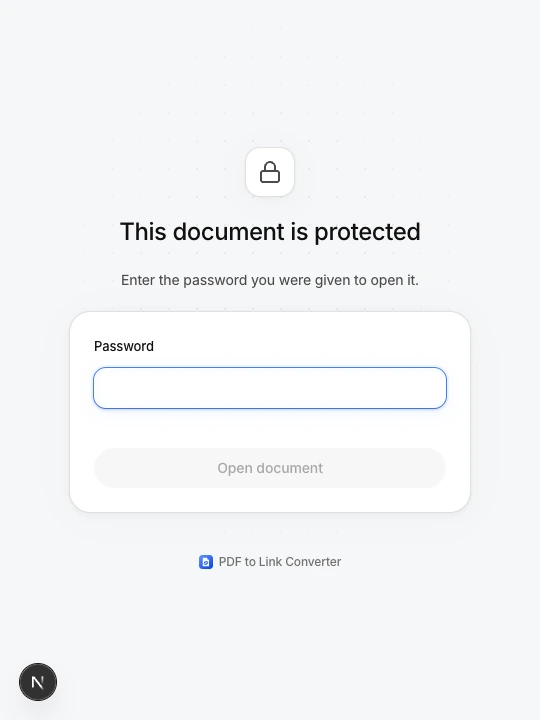
- Open the plain share URL in a private window where you are not signed in. Confirm that the password prompt appears, the intended password opens the right PDF, and the deadline is the one you meant.
- Share the link and password separately when the document warrants it. Do not put the password in the URL, filename or subject line; check the recipient's address before sending.
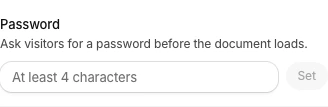
What we checked on a sample link
In a local test with a fictional PDF, an incorrect password did not unlock the viewer, the correct password granted viewer access, and an explicit download request was denied when downloads were turned off. Separate checks confirmed that disabled and expired links could no longer fetch the file. These checks cover this test environment, not every device or a copy already downloaded by a recipient.
Questions and answers
Does the reader need an account?
No reader account is required for the PDFtoLinkConverter viewer. On a protected link, the reader still needs the password.
Is a password the same as approving one person's email?
No. Anyone with the link and its password can try to open it. An invited-account or verified-email workflow is a different control.
Does expiry erase the PDF or revoke downloaded copies?
No. Treat expiry as a deadline for hosted access, not a remote deletion tool. Save the final PDF elsewhere if you need to retain it.
Can I put a password on a link after sending it?
Owners can add or change the link password where the plan permits. Retest the original link in a fresh private window. Do not assume that someone loses content already loaded or saved.
Why does it open without the password when I test it?
You may be signed in as the owner or have already unlocked it in that browser. Test the plain URL in a fresh private session and do not reuse an already-unlocked browser tab.